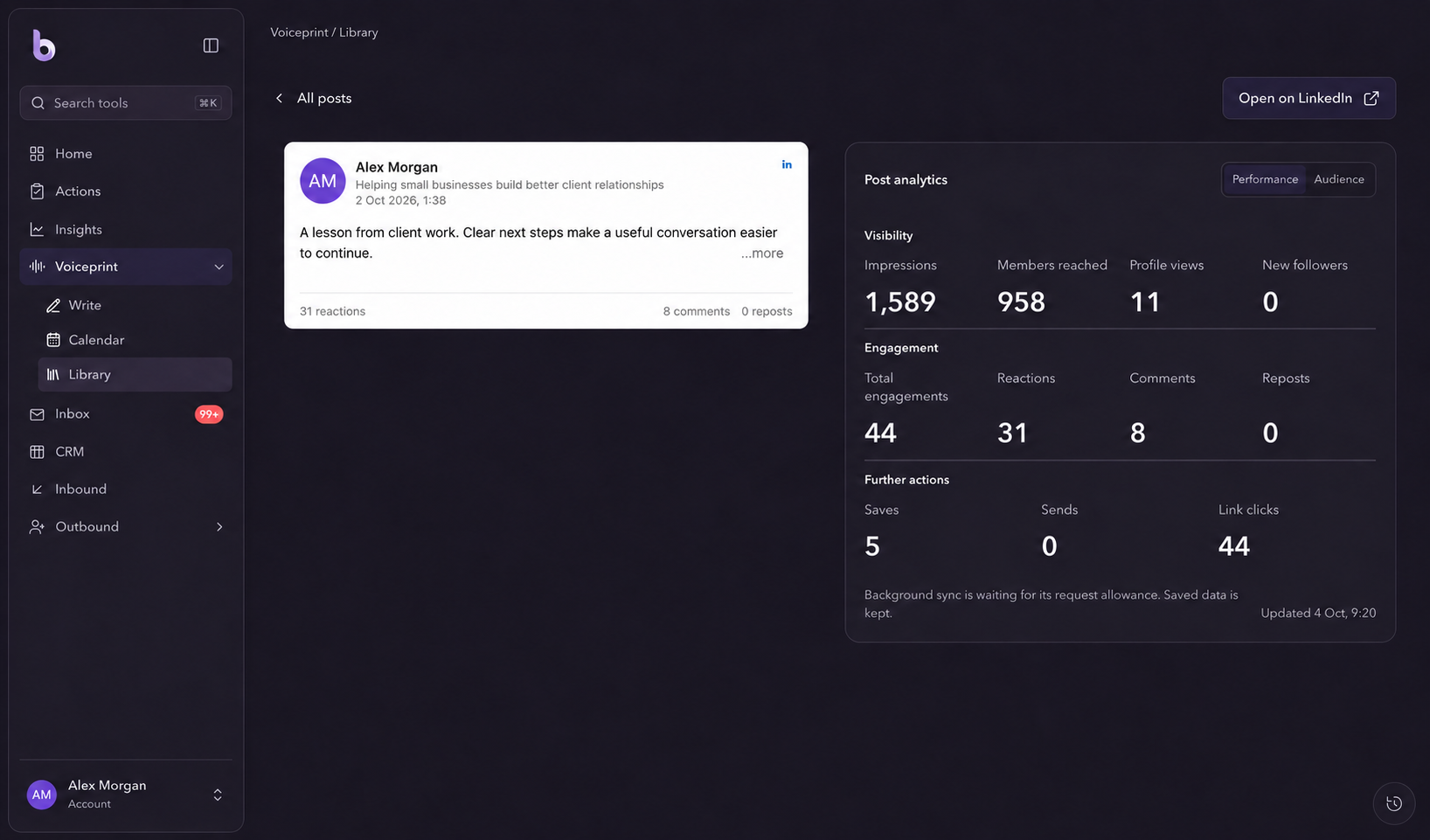
Look beyond the reaction count.
Open a published post to review available impressions, reach, reactions, comments and other activity. Check the latest update before comparing results.

Performance
Review the results available from your content and outreach. Use the numbers to ask better questions about your next post, audience or follow-up.
Start Your 3-Day Free TrialOpen a published post to review available impressions, reach, reactions, comments and other activity. Check the latest update before comparing results.
In the Outreach dashboard, filter performance by period, campaign or sender. Review recorded connection and message activity alongside responses and reply analysis.
Use what you learn to refine a topic, improve a message or prioritise a follow-up. Keep the underlying content and conversations in view when interpreting a number.
A simple workflow
Open a post or select the campaign and period you want to understand.
Review the counts, the time window and when the information was last updated.
Use the result to guide the next piece of content or conversation.
They depend on the data available to the app and on sync progress. Some metrics can arrive later, and an unavailable value should not be treated as a confirmed zero.
No. Reply analysis helps you prioritise a conversation. Review the message itself and track the opportunity through your pipeline.
Explore Bravabase with a 3-day free trial. No card required.
Start Your 3-Day Free Trial