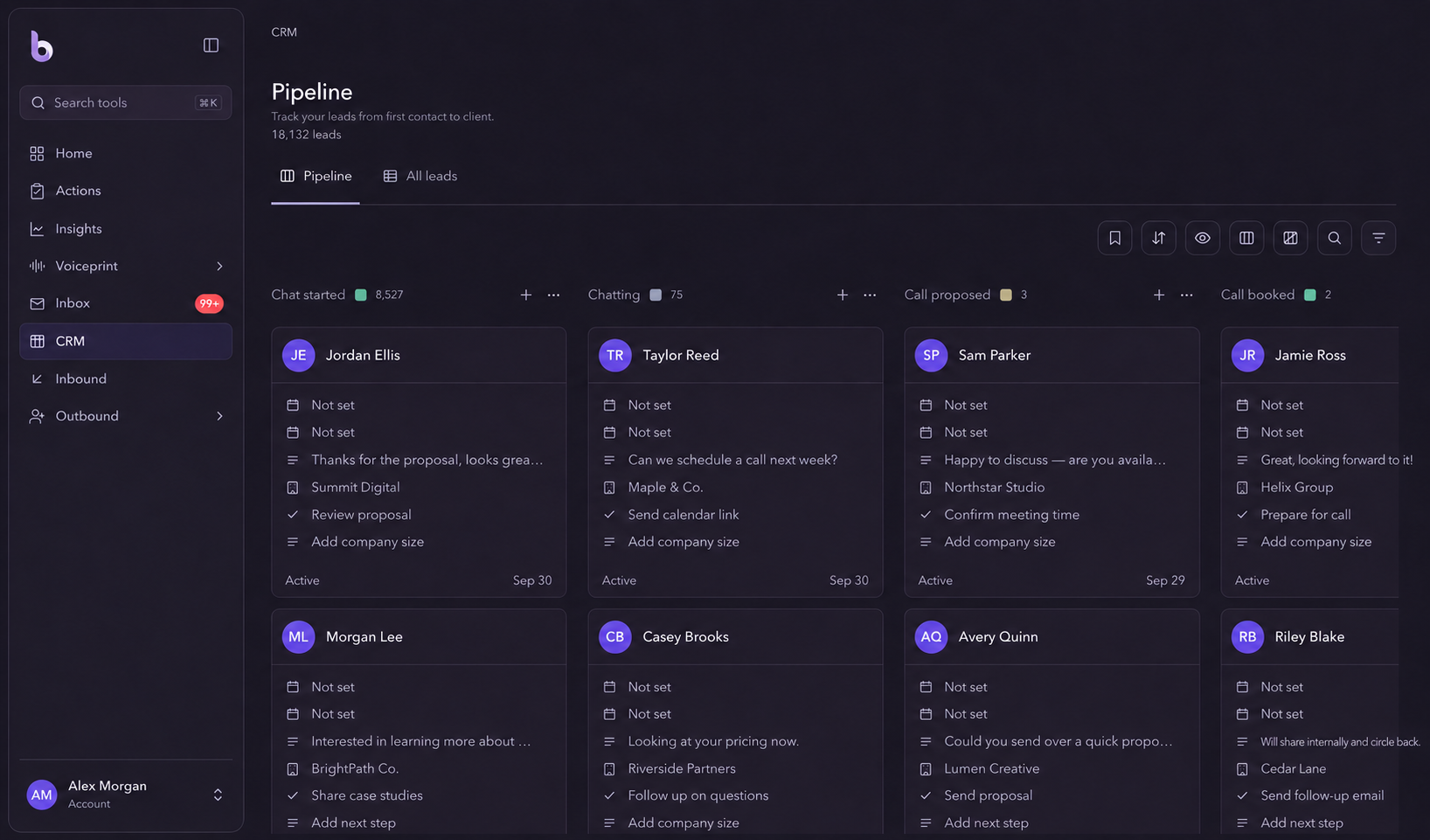
See the whole pipeline.
Use the board to review leads by stage, from the first conversation onward. Update stages as the relationship changes so the board reflects your actual work.

CRM & pipeline
Keep the person, conversation stage and next action together. See what is moving, what is waiting and where your attention will make the most difference.
Start Your 3-Day Free TrialUse the board to review leads by stage, from the first conversation onward. Update stages as the relationship changes so the board reflects your actual work.
Record contact and company details, notes, a follow-up date and the next action. Add a deal value when it is useful to your own process.
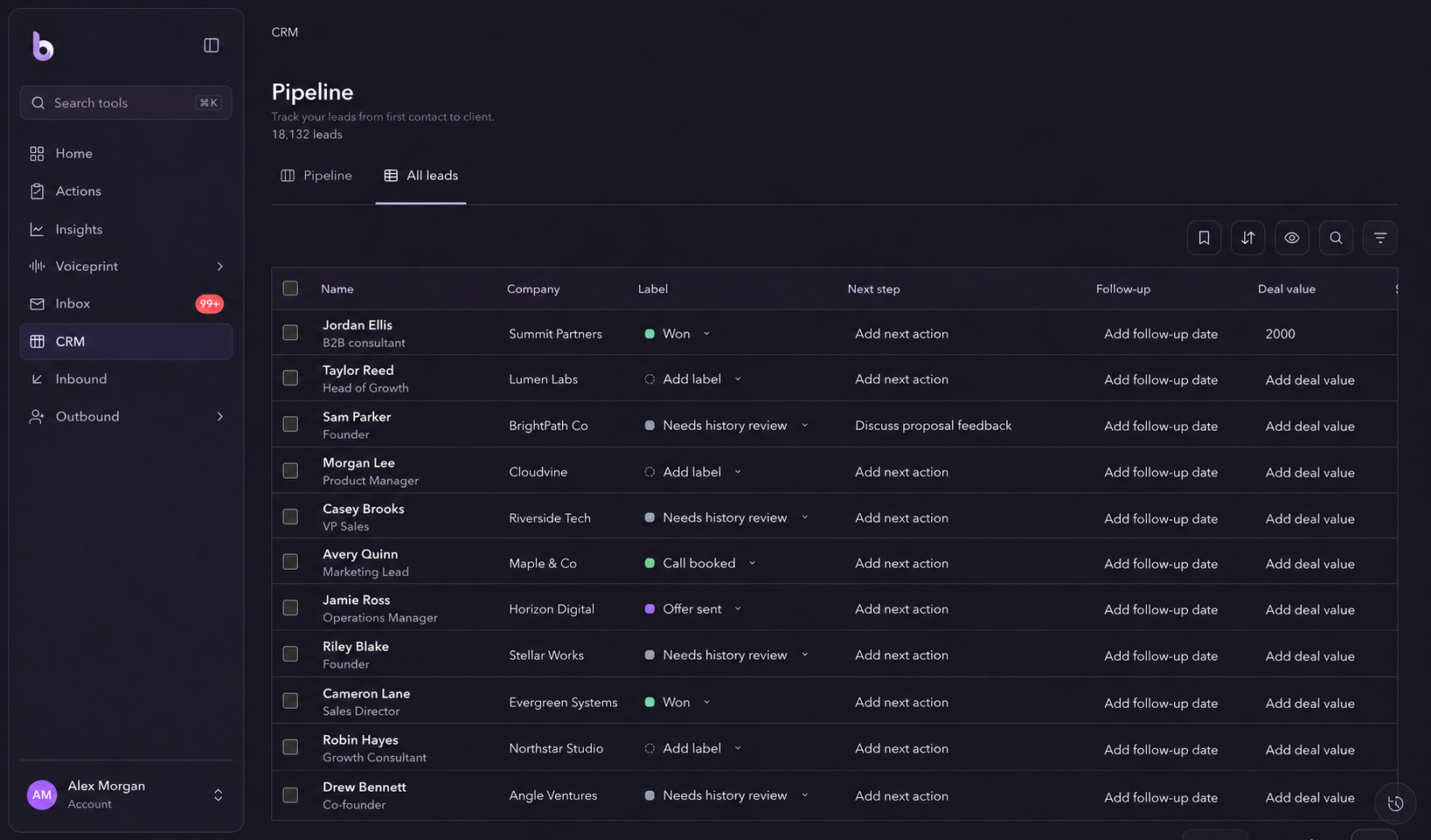
Use the lead list when you need to scan details across people. Search and filter to find the opportunities that deserve your attention today.
Move from the stage board to the lead list when you want to compare details, find a person or review follow-up dates. Keep your work in one pipeline.
A simple workflow
Add or review the contact and the context you already have.
Choose a stage that reflects where the conversation stands.
Record an action and follow-up date, then update them as you progress.
The CRM is part of the same workspace as your inbox and sales work. Use it to organise the relationship and next steps around each person.
No. A value you enter helps you track an opportunity. It is not a payment record or proof of revenue.
Explore Bravabase with a 3-day free trial. No card required.
Start Your 3-Day Free Trial